How to Choose Photos for an AI Zombie Love Story
Prepare two clean portraits, assign their roles deliberately, and check that both identities remain readable in the finished story.
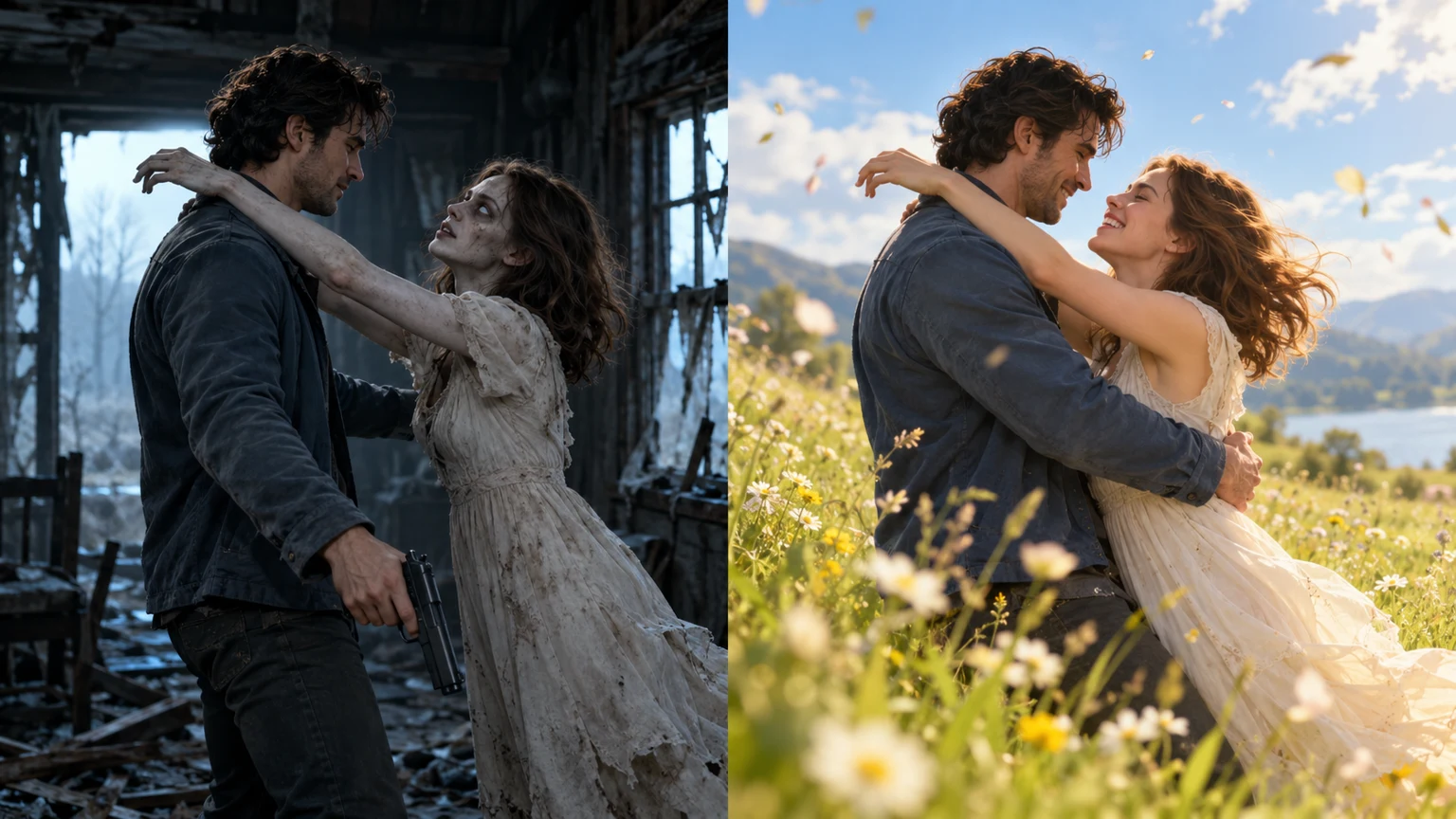
The film changes location, lighting and the appearance of one partner. Its continuity depends on recognizing the same people through those changes. A straightforward source image gives the model a clearer identity reference than a distant or heavily stylized picture.
One face per photo
Choose a separate image of each adult with a visible face. A frontal or modest three-quarter view is a practical starting point. Avoid dark sunglasses, hands across the eyes, extreme beauty filters, or a crowd where the intended subject is ambiguous.
Use JPG, PNG or WebP files smaller than 10 MB each. Make sure you have permission from both people and the right to use the pictures. A recognizable face is more useful here than an elaborate background.
Upload order determines the roles
The first upload belongs to the human survivor. The second belongs to the partner who appears infected and later healthy in the memory. Confirm the labels before continuing; swapping the uploads changes which person plays each role.
You can use an ordinary healthy portrait for the second person. The fixed scene instructions supply the fictional infected appearance. A single identity reference for both appearances helps tie the two parts of the story together.
Pick the frame for your story
Use the tall 9:16 frame for a vertical short-video feed, or choose 16:9 when you want more space around the movement. Both couple formats target 720P output and cost the same amount. The separate pet generator uses a vertical frame.
Review the result before sharing
Watch the opening, the embrace and the bright ending in turn. Look for recognizable facial features, connected arms and a consistent direction of movement. Listen for the natural scene sounds. Add music or captions in your preferred editor after downloading, if you want them.
Good portraits improve the reference material, but generated faces, clothing and motion can still vary. The example shows the intended story structure rather than an exact prediction of another order. Review your own output before publishing it.
Keep the delivered file
Keep the private order link on a device you control. The finished media remains available for 14 days after delivery, so download a copy during that period. Without an email, clearing this browser’s saved data may remove the shortcut to your order.
Use the linked generator when your photos are ready. Read the prompt guide if you want to understand the story instructions before purchasing. Zombie Match Cut Generator story prompt guide
Related zombie video editing guides
Continue with the full Reels workflow or a focused guide to the story, prompt or reference photos.
- Zombie AI Video Editing Prompt
Copy the full zombie AI video editing prompt, upload two photos and make a 25-second story. Learn how to fix the match cut, references and natural audio.
- Zombie Love Story Reels Editing
Create on the page, copy the complete prompt and finish the embrace-to-memory edit.
- What Is the AI Zombie Trend? The Love Story Match Cut Explained
Understand the zombie love story: a gun lowered, an embrace, and a match cut into a happy memory. A practical guide to the four story beats.
- Zombie Match Cut Prompt: From Apocalypse to a Happy Memory
Plan a zombie love story prompt with clear character roles, a 25-second story and a pose-matched cut into grass or snow.